
Apps and customer experience
Choose one useful task for Siri to handle in your app
Apple’s Siri AI developer preview opens custom app actions for testing. Start with one customer task, clear data access and a practical internal trial.
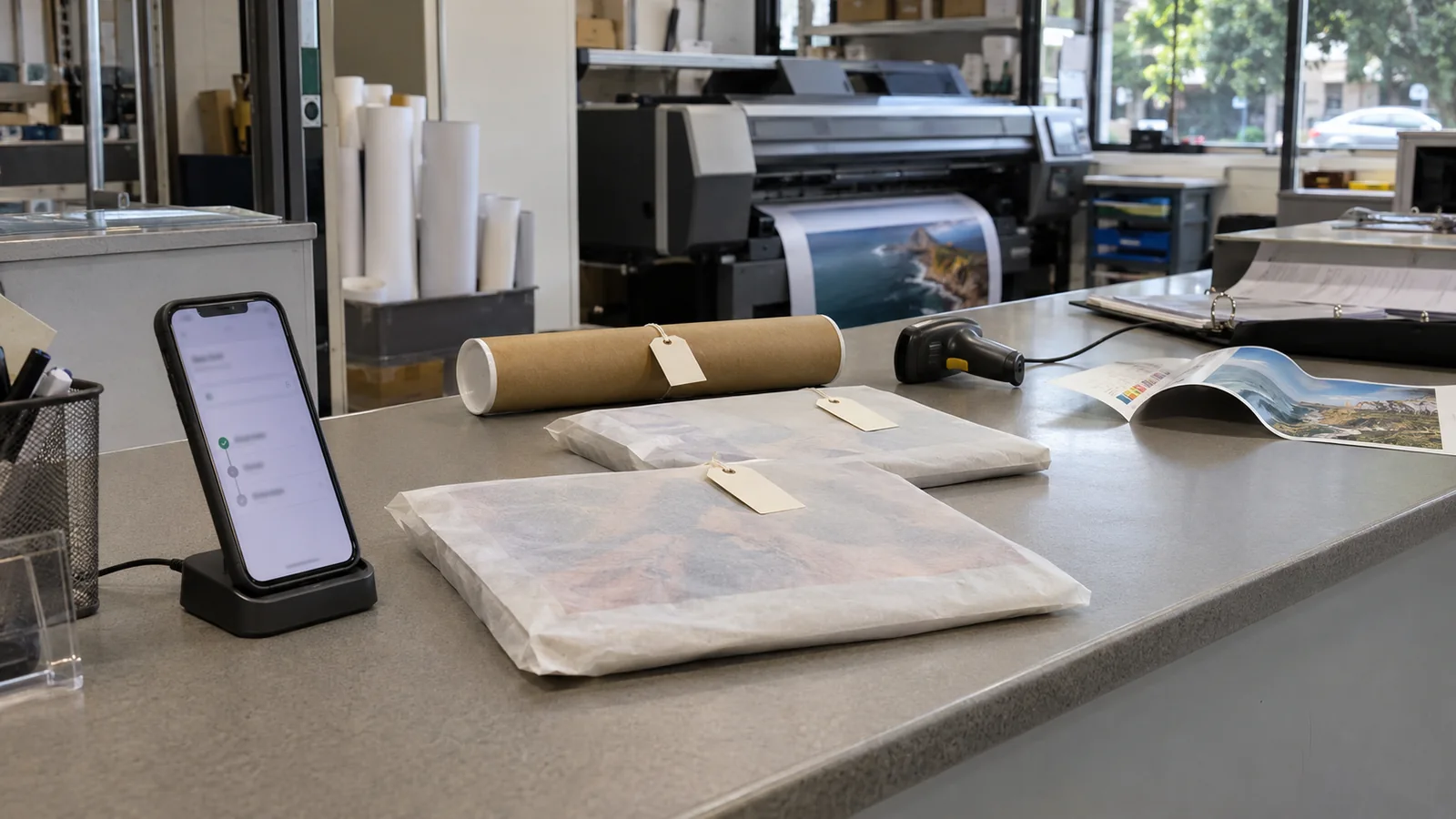
A customer wants to know whether their print order is ready to collect. Your team can answer, and your app may already show the status. Apple’s new Siri AI developer preview gives app owners a reason to consider whether that same task should be available through a spoken request. The useful starting point is the customer’s question and the information needed to answer it accurately.
What changed?
Apple opened a preview for custom app actions
On 3 November 2026, Apple announced that the Siri AI Developer Preview was open to all developers in the iOS 27.3, iPadOS 27.3, macOS 27.3 and visionOS 27.3 betas. It lets developers bring custom app content and actions to Siri using App Intents. We reviewed the announcement on 4 November.
Apple Developer: Siri AI is now open to all developers3 November 2026
The app must deliberately make the task available
Apple’s preview documentation says Siri can only find custom content and perform custom actions that an app explicitly exposes through App Intents. This is integration work for the app developer. It does not mean Siri automatically gains access to every feature or record in a business app.
Apple: Siri AI Developer Preview overviewReviewed 4 November 2026
Public distribution has not opened for these preview capabilities
Apple’s documentation limits testing to development builds and internal TestFlight testers on supported devices. The preview capabilities are not available to external TestFlight testers or customers using an App Store version. Apple also warns that the APIs and Siri functionality may change during the preview.
Apple: Preview testing and distribution limitsReviewed 4 November 2026
What does this mean for a small business?
Our interpretation is that an existing app owner can use this preview to investigate a specific convenience for customers. Start with something people already do often enough to justify attention: checking an order, finding a saved document or looking up the details of a service they have purchased.
Consider an illustrative print business with an app for repeat customers. A first trial might answer whether a particular order is ready for collection. The result would need to come from the same job record staff use, including whether production is complete and where the customer should collect it.
That is a narrower project than allowing a customer to reorder, change artwork and approve a payment in one conversation. Each additional action brings its own business rules. A status enquiry gives the team a defined task to assess before deciding whether more complex actions are worthwhile.
If your customers rarely need an app, this announcement alone is not a reason to build one. A clear website, useful order notifications or a better customer portal may address the actual problem more directly.
Define what the task is allowed to return
For the print-order example, write down the information the customer needs: the correct order, its current status and collection details. Decide how the app identifies the customer and which orders that account may access. A request for an order belonging to someone else should not reveal its contents.
Also define what happens when the answer is uncertain. If there are two recent orders, the experience should distinguish them before returning a status. If the job system is unavailable, an earlier cached status should not be presented as a fresh check. Give the customer a clear way to open the app or contact the team.
These are our proposed requirements for the trial. They should be checked in the implementation rather than assumed from a platform demonstration.
What can you do this week?
- Choose one recurring question from your support calls or customer emails. Identify whether the answer already exists in your app and the system behind it.
- Write a short task description: what the customer asks, which record is needed, what the result should contain and what the action must not change.
- Ask your app developer to assess the preview on a supported test device, including the native integration needed by your current app.
- Prepare internal test accounts with an unambiguous order, two similar orders, an unavailable record and an account that should not have access.
- Agree on a review point before expanding the work. Compare successful answers, unresolved requests and maintenance effort with the existing way customers find the information.
Try the words customers actually use
Give internal testers several ordinary ways to ask the same question. For example, try asking whether the posters are ready, when an order can be collected and where to pick it up. Include a vague request with no order specified. Check whether the answer refers to the right record and whether the next step is understandable.
Keep a small set of those cases to run again when the app or preview changes. Record the starting account, the request and the result. Test against dummy jobs so mistakes do not alter customer work.
Apple provides tools for evaluating the integration
The preview includes a Siri Integration Advisor in Xcode and a SiriEvaluations framework for scripting requests and measuring responses as the integration changes. These are developer testing tools, not a guarantee that a particular business task will work reliably.
Apple: Integration advice and evaluation toolsReviewed 4 November 2026
How should this affect your app plans?
A useful trial should inform a decision about your app, rather than commit you to a larger roadmap. If the task works consistently and solves a problem customers recognise, you can assess the work needed for release when Apple makes the capability available for public distribution.
Keep the existing app journey usable throughout. Customers may use different devices, prefer to read details on screen or need to resolve an exception with a person. A spoken interaction should have a clear place in that wider service.
Recheck the release details before committing
Before setting a launch date, recheck Apple’s release guidance, supported devices and any updated terms. The announcement is a developer preview, and Apple says more details about terms and usage policies will follow.
Apple: Preview timing and forthcoming terms3 November 2026
How Context Aware can help
We can review the tasks your customers use in an existing app, identify a suitable first trial and work through the records, access rules and failure cases it needs. We can also assess the implementation work with your current app stack and prepare an internal test plan.
The outcome may be a small prototype, a change to the underlying order data or a decision to improve the existing customer journey first. We would scope that work around a specific service problem and the limits of the preview.
Sources and research notes
Apple’s announcement and preview documentation are the primary sources for the release details above. The print business, suggested trial and business implications are our interpretation and an illustrative example, not a client result.
We also reviewed OpenAI’s newsroom, Anthropic’s newsroom, Google Search Central’s update log and an earlier Hacker News discussion of Siri AI. The older discussion does not establish how this November preview performs. Targeted X searches did not provide a relevant accessible current discussion, and an older demo post linked from Hacker News returned an access error.
Prepared by Context Aware with AI assistance and linked primary sources. Examples are illustrative. How we write our insights.