
Online retail
Check AI-edited product photos against the item you sell
OpenAI’s Images 2.6 release raises a practical question for retailers. How do you check that an edited photo still shows the exact product a buyer will receive?
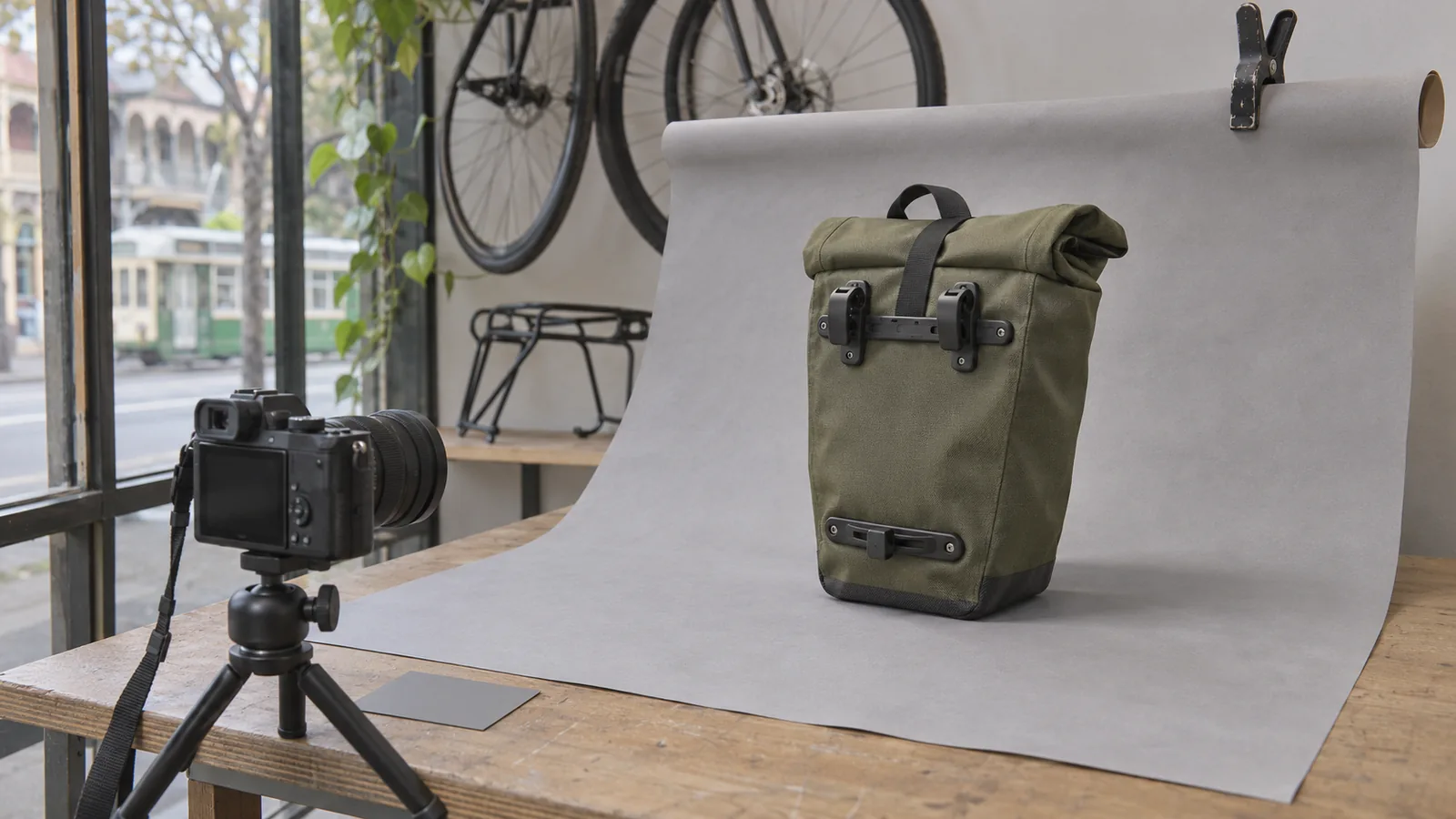
A cyclist shopping online turns to the rear view of a pannier to see how it attaches to a rack. Two hooks and a small lower bracket might occupy a fraction of the photo, yet they can decide the sale. If you use AI to tidy up the background, those are the details to inspect before the new image goes on the product page.
What changed in Images 2.6?
OpenAI says its new model can keep details more consistent across edits
On 4 November 2026, OpenAI introduced Images 2.6. It describes Flare as an option for quick image generation and Sunburst as offering greater consistency across edits at medium or high quality. For a retailer, the feature worth trying is a small change to an existing image, such as cleaning up a distracting background. The consistency claim comes from OpenAI. Whether an edit preserves the details of your stock is something you can check directly.
OpenAI’s Images 2.6 announcement4 November 2026
Which details would a buyer rely on?
Take a fictional bike shop that sells an olive roll-top pannier. Before editing the photo, a staff member puts the stock item beside the original image and checks how the bag attaches, how the top closes and which accessories come in the box. The shop already answers these questions at the counter.
Changing a grey background to white sounds straightforward. Look closely at where the black hooks meet the background. Did the edit fill in the gap under a hook? Did it smooth away the lower bracket? Either could give a customer the wrong impression of how the bag fits. If the hardware is hard to judge, take a closer photograph of the actual bag.
Our suggestion is to use the shop’s time where a mistake would affect the purchase. A general illustration for an article and the close-up a buyer uses to check compatibility serve different purposes. Keep the verified close-up available on the listing.
Check the copy sent to Google Shopping
The main image and the selected product need to match
Google Merchant Center’s existing guidance asks for a main image that depicts the item being offered. For product variants, it recommends a distinct image showing the selected colour, pattern, material or finish. In the bike shop example, open the olive product page and its Shopping feed entry and check that both lead to the olive bag.
Google Merchant Center’s product image requirementsReviewed 6 November 2026
Inspect the file after it passes through the shop’s image tools
Google also requires embedded metadata identifying generative AI imagery submitted to Merchant Center and says to preserve relevant source tags, including IPTC DigitalSourceType. Ask whoever manages the feed to download the file at its submitted image URL and inspect the metadata there. An export on a designer’s computer and the resized copy supplied by the shop can be different files.
Google Merchant Center’s AI image metadata guidanceReviewed 6 November 2026
What can you do this week?
- Pick one item customers often ask about. Photograph the actual stock, including a close-up of the feature behind their question, and save the originals with the product code.
- Try one edit with a narrow brief, such as removing a crease from the paper backdrop. Keep the reference and the edited version side by side.
- Have someone who handles the item inspect its outline, colour, fittings and included accessories. Record what they checked. Use the original if an important detail has changed.
- Preview the product on a phone. Switch between available variants and open the detail image to check that a buyer can see the feature they need.
- If the item goes to Merchant Center, inspect the image URL and embedded metadata in the final feed file. Save the approved version against the correct stock code.
Decide whether the edit earns its place
For the first few items, write down the time spent preparing the original, editing it and checking the result. Include rejected edits. If the same shiny buckle takes three attempts to reproduce, a second camera angle may be the quicker and more reliable way to show it.
If a trial works for background clean-up, keep that as the approved use. A change to the product colour, a new model year or a different mounting system deserves fresh reference material. The next person updating the catalogue should be able to find it by stock code.
How Context Aware can help
We can follow one product image from the original file through your shop, mobile gallery and shopping feed. We can check for a mismatched variant, an unreadable detail or metadata lost during resizing. We can then help your team fix that step and document how to check the next item.
Sources and research notes
The release details come from OpenAI. The Shopping guidance comes from Google Merchant Center. The bike shop is an illustrative example. We reviewed the Hacker News discussion during research. OpenAI’s X profile returned an access error, and a targeted search did not surface an accessible discussion.
Prepared by Context Aware with AI assistance and linked primary sources. Examples are illustrative. How we write our insights.